
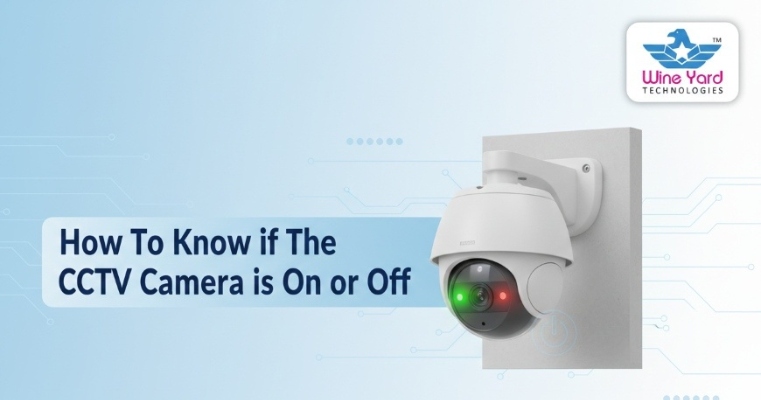
How To Know if the CCTV Camera is on or off?
Security cameras play a vital role in protecting homes, offices, apartments, warehouses, and commercial spaces. However, many people often wonder: How To Know if The CCTV Camera is On or Off? Understanding whether your camera is actively recording is essential for ensuring safety, monitoring activity, and preventing security gaps.
A properly functioning CCTV Surveillance System should always be operational when needed. If a camera is off, disconnected, or malfunctioning, it can create blind spots and security risks. At wineyard, we help customers install, monitor, and maintain surveillance systems so they always know their cameras are working correctly.
This complete guide explains the signs that indicate whether a CCTV camera is on or off, how to check it, and how to ensure continuous monitoring.
Why it is Important to Know if A CCTV Camera is On or Off
Before diving into technical checks, it’s important to understand why verifying camera status matters.
A working CCTV Surveillance System helps with:
- Crime prevention
- Real-time monitoring
- Evidence recording
- Employee and visitor safety
- Property protection
If a camera stops working without your knowledge, your property may be unprotected. That’s why knowing How To Know if The CCTV Camera is On or Off is essential for every property owner.
Signs That Indicate A CCTV Camera is On
Several visible and technical indicators show that a camera is active and recording.
Check The LED Indicator Light
Most CCTV cameras have small LED lights. These lights indicate whether the camera is powered and recording.
- Solid light: camera is powered on
- Blinking light: recording or network activity
- No light: camera may be off or disconnected
Some cameras disable visible lights for security purposes, so don’t rely only on this method.
Look For Infrared Night Vision Glow
At night, many cameras use infrared LEDs for night vision. If you see a faint red glow around the lens in low light, the camera is likely active.
This is one of the simplest ways to confirm How To Know if the CCTV Camera is On Or Off during nighttime.
Check The Camera Movement
PTZ (Pan-Tilt-Zoom) cameras often move automatically or respond to controls. If the camera rotates, zooms, or adjusts, it is powered and operational.
Static cameras won’t move, but they may still be recording.
View Live Footage On Monitor Or Mobile
The most reliable way to confirm camera status is to check the live feed.
- Open the CCTV app
- Access the DVR/NVR monitor
- Check if the camera feed is visible
If the video appears live, the camera is on. If there’s no feed, it may be off or disconnected.
You can read more about installation checks on our CCTV Camera Installation Services page.
How To Check if A CCTV Camera is Off
If you suspect a camera is not working, there are several ways to confirm.
Check Power Supply
Ensure the camera is connected to power. Look for:
- Loose cables
- Switched-off power outlets
- Power adapter issues
A disconnected power source is one of the most common reasons cameras stop working.
Inspect The Recording Device
CCTV cameras usually connect to a DVR or NVR. If the recorder is off, the camera may not record footage.
Check if:
- DVR/NVR is powered on
- The hard drive is functioning
- Recording settings are active
If the recorder is off, it may seem like the camera is off even if it has power.
Check Network Connection
For IP cameras, internet connectivity is essential. If the network is down, the camera may not transmit video.
Restart the router and check cables to restore connectivity.
Test Using Mobile App
Most modern CCTV Surveillance Systems allow mobile access. If the app shows “camera offline,” the camera may be off or disconnected.
You can learn more about remote monitoring in our Smart CCTV Monitoring Guide.
Common Reasons CCTV Cameras Stop Working
Understanding why cameras turn off helps prevent future issues.
Power Failure
Electricity outages or faulty adapters can turn cameras off.
Loose Wiring
Damaged or loose cables can interrupt power or signal transmission.
Storage Issues
If the hard drive fails, recording may stop even if the camera is on.
Network Problems
Wi-Fi or internet issues can disconnect IP cameras.
System Maintenance
Cameras may be temporarily off during maintenance or upgrades.
Knowing these causes helps answer How To Know If The CCTV Camera is On Or Off? quickly and efficiently.
Tips To Ensure Your CCTV Camera is Always On
Maintaining your CCTV Surveillance System ensures consistent monitoring.
Schedule Regular Maintenance
Routine checks help detect issues early. Inspect:
- Power connections
- Camera lenses
- Recording devices
- Storage capacity
Professional servicing ensures long-term performance.
Enable Notifications
Many modern systems send alerts if a camera goes offline. Enable notifications in your CCTV app to stay informed.
Use Backup Power
Installing a UPS backup ensures cameras stay on during power outages.
Check Storage Regularly
Ensure the hard drive has enough space and is functioning properly.
You can also explore our guide on Best CCTV Cameras For Home And Office to choose reliable systems.
Benefits Of A Properly Working CCTV Surveillance System
A functioning CCTV system offers several advantages:
- 24/7 monitoring
- Crime deterrence
- Evidence recording
- Remote viewing
- Increased safety
When you know How To Know If The CCTV Camera is On Or Off?, you can ensure continuous protection.
Why Choose Wineyard For CCTV Solutions
Choosing the right service provider ensures your cameras stay operational at all times. Wineyard offers Professional CCTV Surveillance System solutions tailored to homes and businesses.
Our services include:
- CCTV installation
- Camera maintenance
- System upgrades
- Remote monitoring setup
- Troubleshooting support
We help clients monitor their systems and quickly identify whether cameras are active or offline.
Frequently Asked Questions
How Can I Tell if My CCTV Camera is Recording?
Check live footage on your monitor or mobile app. Recording indicators or blinking lights also confirms activity.
Do All Cameras Have Indicator Lights?
No. Some cameras disable lights for security reasons, so checking the live feed is the best method.
Can A Camera Be On But Not Recording?
Yes. A camera may have power but not record due to storage or system issues.
How Often Should I Check My CCTV System?
Weekly checks and professional maintenance every few months are recommended.
Conclusion
Understanding How To Know If The CCTV Camera is On Or Off ? is crucial for maintaining security and avoiding surveillance gaps. By checking indicator lights, live footage, power supply, and network connections, you can quickly confirm whether your camera is working properly.
A reliable CCTV Surveillance System ensures your property remains protected at all times. Regular maintenance and professional support can prevent downtime and improve system performance.
Contact Us
Want expert help with your CCTV system? Unsure How To Know If The CCTV Camera is On Or Off? wineyard provides professional installation, monitoring, and maintenance services for homes and businesses.
Wineyard to ensure your CCTV Surveillance System is always active and protecting what matters most. Our experts will inspect your cameras, fix issues, and provide reliable security solutions tailored to your needs.
Recent Comments