
Here is the clear video of CP Plus illumax camera settings:
Right-click on the live interface, and the shortcut menu is displayed.
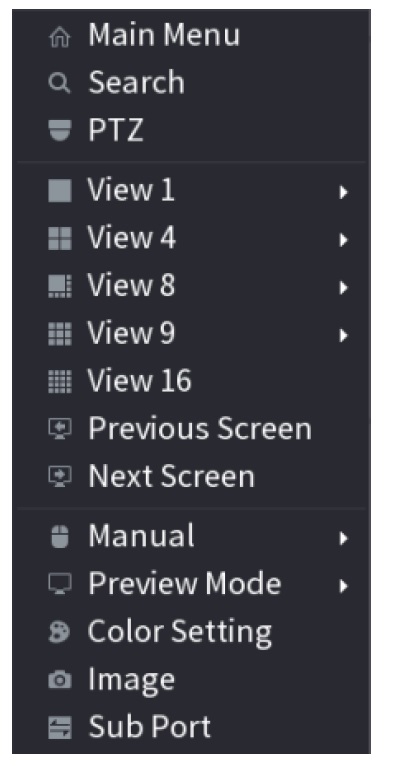
Click PTZ and click → symbol to extend the menu
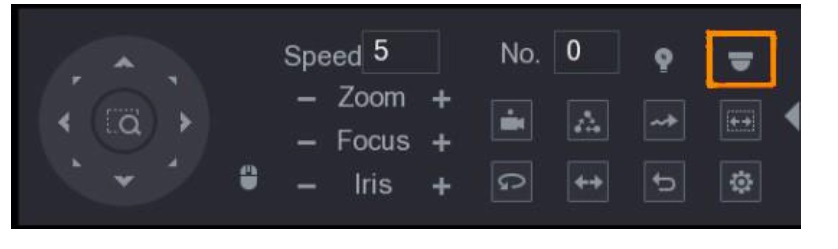
Click on Camera symbol showed in above figure. The MENU OPERATION panel is displayed.
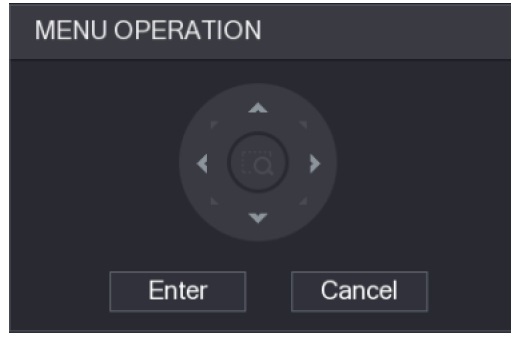
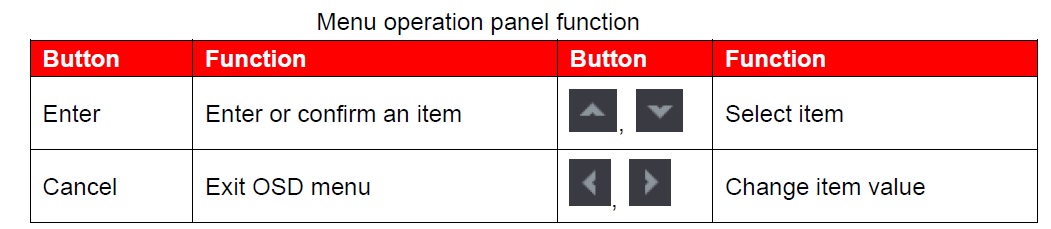
The OSD menu of the corresponding device is displayed on the live interface. If the value of OSD item is “↵”, click Enter to go to the next level of this item. Click Return to go back to the previous level. Click Cancel to exit OSD menu without saving the modifications.
iLLUMAX Camera Full-Colour Camera Configuration:This article introduces how to configure the working modes of smart light, including auto and manual. Smart light will change the brightness of white light automatically according to the ambient lighting condition to avoid over-exposure. Smart light is only available for full-color camera.
Enabling/Disabling Smart Light:
Smart light is enabled by default. To switch the mode of smart light, enter OSD menu (Figure 3-7) and select Light Smart Light
Configuring Smart Light Adjustment
In the smart light mode, configure the maximum brightness level of the smart light, and the device will change brightness automatically according to the ambient lighting condition. You can also configure the sensitivity of the smart light.
Configuring Brightness Level:
Step 1 On the OSD menu, select Light > Smart Light > Level.
Step 2 Select from 1 to 5 to configure the maximum brightness level. Step 3 The maximum brightness level is 5 by default.
You can also configure the brightness level manually in Light Manual Level Level.
Configuring Sensitivity:
Step 1 Select Light > Smart Light > Sensitivity.
Step 2 Select from 1 to 5 to configure the sensitivity value of the smart light.
Step 3
The higher the value is, the easier the smart light will be woken up.
The sensitivity value is 3 by default.
Click Return and then Exit to exit the configuration.
Smart Dual Illuminators Camera Configuration:
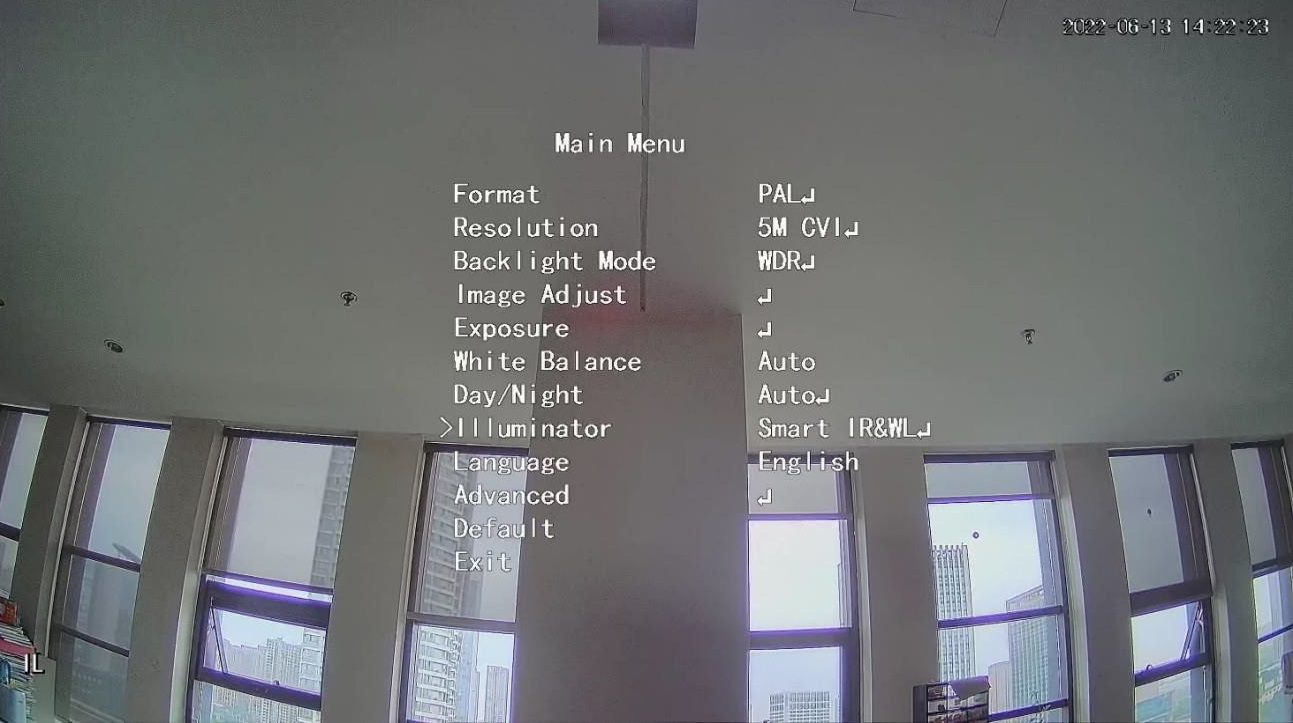
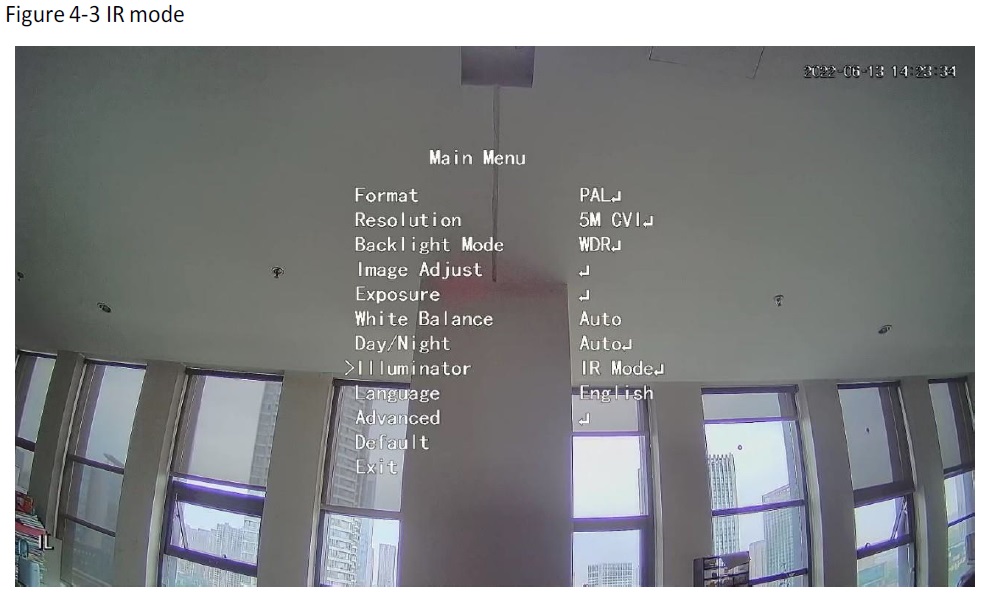
Smart dual illuminators camera supports three light modes: Smart IR&WL, WL mode, IR mode. On the OSD menu, select Illuminator, and then view the three different modes.
Smart IR&WL:
Turn on the IR light in low ambient brightness. If SMD or IVS has been associated with smart dual illuminators cameras, and when the SMD detects people and vehicles on the screen, or perimeter rules are triggered by the IVS, then the camera will be controlled to turn on the warm light, and the screen automatically switch to the full-colour. When SMD or IVS has detected that no rules are triggered by people and vehicles, the camera will turn off the warm light and turn on the IR light to switch to the black & white night vision.
WL mode mode: If the screen is full-colour in low ambient brightness, then the camera is a full-colour camera.
IR mode: If the screen is black & white in low ambient brightness, then the camera is an IR camera.
iLLUMAX Camera settings CP Plus
Where Can I Get these CP Plus illumax Cameras at wholesale prices in Hyderabad?
We have our direct outlets in Hyderabad: Click on the below links to know the location.
Himayatnagar:
Boduppal Near Boduppal Bus Depot, Highway Main Road, Peerzadiguda
Chandanagar Beside Vijetha Super Market, Main Road
Kharmanghat Near Gayatrinagar Bus Stop, Main Road, Jillelguda
Himayatnagar Near AV College, gaganmahal
Recent Comments